Electronics > Vehicle Electronics > Car Accessories > Car Cradles & Mounts
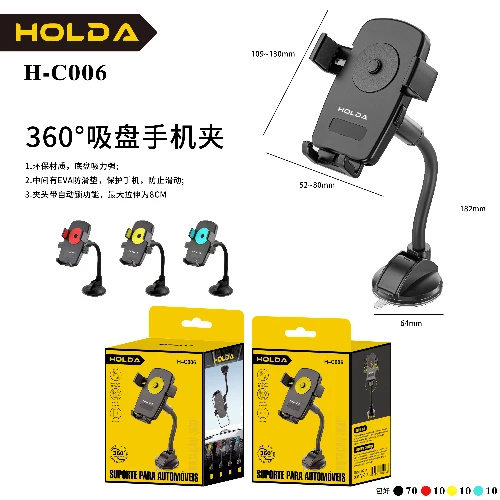
360° Suction Cup Phone Mount H-C006
Brand: Generic / OEM
•
Audited BOM: 6 Components
🛠️ Troubleshooting Guide & Return Mitigation
Verified Self-Service BaseQuick guide for your 360° Suction Cup Phone Mount. Learn how to use it, prevent damage, and resolve common issues for maximum durability.
RMA Prevention Tags:
#suction_cup_cleaning
#proper_surface
#adjustment_tightness
🔍 Colloquial Consumer Search Queries:
“phone mount suction cup not sticking”
“360 phone mount won't hold”
“phone mount broke”
“how to use suction cup phone holder”
“phone mount fell off car”
🚀 Quick Start & Safe Operation Guide
1
Thoroughly clean the surface where the suction cup will be applied (glass, smooth dashboard).
🔒
+3 Detailed Operational Steps Locked in Torfus Pro
Unlock Steps
⚡ Easy DIY Troubleshooting & Common Fixes
🔧
prob_01
Suction cup is not sticking to the surface.
Common root cause: Surface is dirty, oily, or porous; suction cup is dirty or dried out.
Step-by-step solution: Clean the surface with a damp cloth and the suction cup with warm water and mild soap. Dry both thoroughly before applying.
💡
Pro tip: Avoid applying to textured, rubberized, or dirty surfaces. Keep the suction cup clean and slightly damp for better adhesion.
📸
Evidence to provide support: Clear photo of the suction cup and surface.
🔒
+2 Exclusive Verified Technical Solutions Locked
Engineering diagnostics for mechanical jams, thermal overloads, and seal failures available in the Full Dossier.
Unlock Full Guide
🚫 What NEVER to Do (Common Misuse Warnings)
⚠️ Forcing the joints or the phone holder.
err_01
Consequence: Breakage of plastic parts, loss of 360° mobility, or holder function.
✓ How to avoid: Adjust gently, without applying excessive force. Use the holder's release mechanism to remove the phone.
🔒 +2 Critical Misuse Warnings Locked
Engineering alerts to prevent motor burnout, voided manufacturer warranty, and catastrophic component breakdown.
View All Warnings
⚙️ Hardware Setup, Adjustments & FAQs
🔒 +1 Hardware Setup & Calibration FAQs Locked in Torfus Pro
Unlock
⚖️
⚖️ Seller Warranty & Marketplace Dispute Conciliation
If the product shows breakage of plastic components without signs of misuse, suction cup adhesion failure that does not improve with cleaning, or joint defects that prevent adjustment and locking, even after following usage and troubleshooting instructions, activate the warranty according to the seller's warranty and marketplace return policy.