Home & Kitchen > Home Appliances > Air Quality > Humidifiers
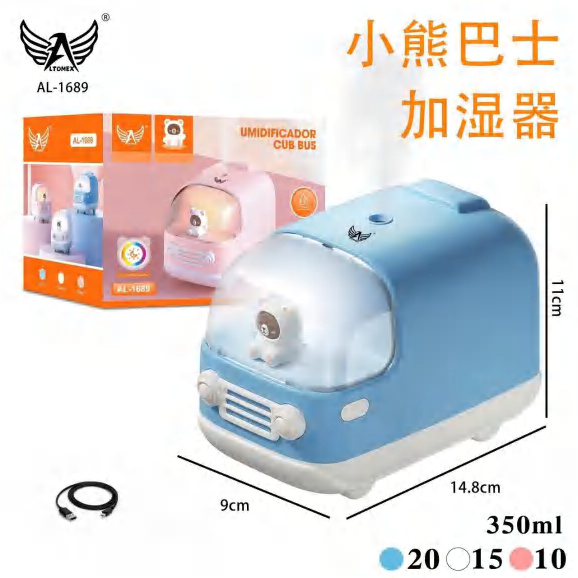
350ml (12 oz) USB Bus Humidifier & Diffuser AL-1689
Brand: Generic / OEM
•
Audited BOM: 9 Components
🛠️ Troubleshooting Guide & Return Mitigation
Verified Self-Service BaseQuick Guide for your 350ml (12 oz) USB Bus Humidifier & Diffuser AL-1689: Usage, Cleaning, and Common Troubleshooting to Ensure Proper Function.
RMA Prevention Tags:
#correct_water_usage
#reservoir_cleaning
#secure_usb_connection
🔍 Colloquial Consumer Search Queries:
“bus humidifier not working”
“diffuser won't turn on”
“low mist output humidifier”
“clean bus humidifier”
“usb cable humidifier”
🚀 Quick Start & Safe Operation Guide
1
Carefully remove the top cover. 2. Fill the reservoir with cool, filtered water up to the indicated line, do not overfill. 3. Add 1-2 drops of essential oil (optional) to the center of the reservoir. 4. Close the cover firmly and connect the USB cable to a power source.
🔒
+2 Detailed Operational Steps Locked in Torfus Pro
Unlock Steps
⚡ Easy DIY Troubleshooting & Common Fixes
🔧
prob_01
The humidifier is not producing mist.
Common root cause: Low water level or dirty/clogged reservoir.
Step-by-step solution: Check if there is enough water in the reservoir. If so, unplug the device, empty it, and clean the interior with a soft, damp cloth, paying attention to the mist outlet.
💡
Pro tip: Always use filtered or distilled water to prevent mineral buildup and prolong the device's lifespan.
📸
Evidence to provide support: Short video showing device powered on with no mist.
🔒
+2 Exclusive Verified Technical Solutions Locked
Engineering diagnostics for mechanical jams, thermal overloads, and seal failures available in the Full Dossier.
Unlock Full Guide
🚫 What NEVER to Do (Common Misuse Warnings)
⚠️ Using tap water or water with impurities.
err_01
Consequence: Mineral and dirt buildup in the reservoir and ultrasonic mechanism, reducing efficiency and potentially causing clogs.
✓ How to avoid: Always use filtered or distilled water. Clean the reservoir regularly.
🔒 +2 Critical Misuse Warnings Locked
Engineering alerts to prevent motor burnout, voided manufacturer warranty, and catastrophic component breakdown.
View All Warnings
⚙️ Hardware Setup, Adjustments & FAQs
🔒 +1 Hardware Setup & Calibration FAQs Locked in Torfus Pro
Unlock
⚖️
⚖️ Seller Warranty & Marketplace Dispute Conciliation
If, after following all usage instructions and troubleshooting steps, the humidifier and diffuser does not turn on, does not produce mist, or exhibits any other defect not caused by misuse, activate the warranty. These may indicate a manufacturing defect covered by the seller's warranty and marketplace return policy.