Tools & Home Improvement > Power & Hand Tools > Power Tools > Power Screwdrivers
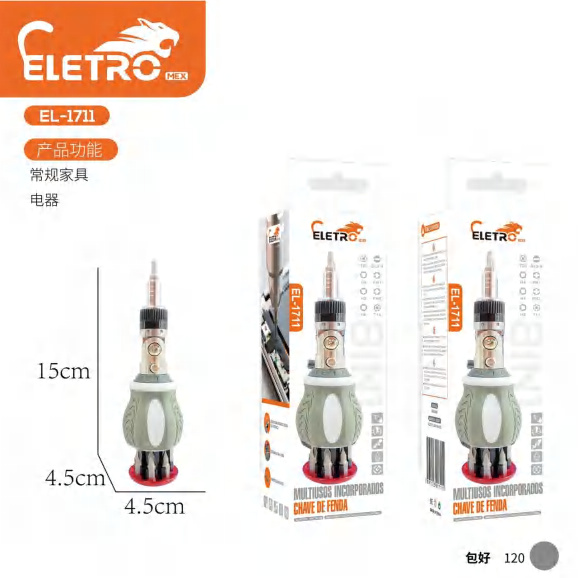
3.6V Electric Screwdriver EL-1711
Brand: Generic / OEM
•
Audited BOM: 8 Components
🛠️ Troubleshooting Guide & Return Mitigation
Verified Self-Service BasePractical guide for the 3.6V Electric Screwdriver EL-1711: proper use, common troubleshooting, and damage prevention for maximum durability.
RMA Prevention Tags:
#improper_torque_use
#bit_holder_cleaning
#correct_battery_charging
#moisture_protection
🔍 Colloquial Consumer Search Queries:
“electric screwdriver el-1711 not turning on”
“power screwdriver not working”
“el-1711 screwdriver slow”
“el-1711 battery drains fast”
“screwdriver not spinning”
🚀 Quick Start & Safe Operation Guide
1
Fully charge the battery before first use, following the charger's indicators.
🔒
+3 Detailed Operational Steps Locked in Torfus Pro
Unlock Steps
⚡ Easy DIY Troubleshooting & Common Fixes
🔧
prob_01
Screwdriver does not turn on or stops working intermittently.
Common root cause: Battery is discharged or not properly seated.
Step-by-step solution: Check if the battery is fully charged and securely attached to the base of the unit.
💡
Pro tip: Keep the battery charged even during prolonged periods of non-use to ensure it's ready when needed.
📸
Evidence to provide support: Short video (5-10s) showing the unit attempting to power on and the symptom.
🔒
+2 Exclusive Verified Technical Solutions Locked
Engineering diagnostics for mechanical jams, thermal overloads, and seal failures available in the Full Dossier.
Unlock Full Guide
🚫 What NEVER to Do (Common Misuse Warnings)
⚠️ Forcing the screwdriver on stuck or excessively tight screws.
err_01
Consequence: Motor overheating, gear damage, or shaft breakage.
✓ How to avoid: Use the tool for its intended purpose (light fastenings). If a screw is stuck, use a manual screwdriver to loosen it initially.
🔒 +2 Critical Misuse Warnings Locked
Engineering alerts to prevent motor burnout, voided manufacturer warranty, and catastrophic component breakdown.
View All Warnings
⚙️ Hardware Setup, Adjustments & FAQs
🔒 +1 Hardware Setup & Calibration FAQs Locked in Torfus Pro
Unlock
⚖️
⚖️ Seller Warranty & Marketplace Dispute Conciliation
Warranty should be claimed if, after following all usage and troubleshooting guidelines, the product exhibits functional failures not caused by misuse, such as the motor not turning on without apparent reason, gears locking up without load, or evident manufacturing defects.