Office Products > Office Electronics > Shredders
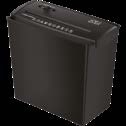
2.6 Gal (10L) 6-Sheet Paper Shredder AFP-6101
Brand: Generic / OEM
•
Audited BOM: 6 Components
🛠️ Troubleshooting Guide & Return Mitigation
Verified Self-Service BaseQuick guide for your AFP-6101 paper shredder: proper use, common troubleshooting, and maintenance to ensure performance and longevity.
RMA Prevention Tags:
#respect_duty_cycle
#clean_cutting_mechanism
#verify_power_connection
#respect_sheet_capacity
🔍 Colloquial Consumer Search Queries:
“shredder not working”
“paper shredder overheating”
“afp-6101 won't turn on”
“how to clean shredder blades”
“shredder jammed paper”
🚀 Quick Start & Safe Operation Guide
1
Place the shredder unit on top of the waste bin, ensuring it is securely seated.
🔒
+3 Detailed Operational Steps Locked in Torfus Pro
Unlock Steps
⚡ Easy DIY Troubleshooting & Common Fixes
🔧
prob_01
Shredder stops working completely after a few minutes of use, requiring long cool-down periods.
Common root cause: Motor overheating due to prolonged work cycles or exceeding the sheet capacity.
Step-by-step solution: 1. Unplug the shredder and wait at least 30 minutes for it to cool down completely.
2. Reduce the number of sheets inserted at once (max 6) and observe recommended usage intervals.
💡
Pro tip: Use the 'Reverse' function (R button) for a few seconds after each use to help clear the blades and prevent jams.
📸
Evidence to provide support: Short video (5-10s) showing shredder powered on and stopping after brief use.
🔒
+3 Exclusive Verified Technical Solutions Locked
Engineering diagnostics for mechanical jams, thermal overloads, and seal failures available in the Full Dossier.
Unlock Full Guide
🚫 What NEVER to Do (Common Misuse Warnings)
⚠️ Shredding more than 6 sheets at a time or inappropriate materials (plastic, cards, staples).
err_01
Consequence: Motor overload, overheating, severe jams, and permanent damage to the cutting mechanism.
✓ How to avoid: Always respect the maximum capacity of 6 sheets and shred only paper. Remove staples and clips before inserting paper.
🔒 +2 Critical Misuse Warnings Locked
Engineering alerts to prevent motor burnout, voided manufacturer warranty, and catastrophic component breakdown.
View All Warnings
⚙️ Hardware Setup, Adjustments & FAQs
🔒 +2 Hardware Setup & Calibration FAQs Locked in Torfus Pro
Unlock
⚖️
⚖️ Seller Warranty & Marketplace Dispute Conciliation
Contact customer support for warranty service if, after following all usage and troubleshooting instructions, the shredder exhibits issues indicative of a manufacturing defect, such as motor failure without apparent cause after minimal use, or a cutting mechanism malfunction that prevents normal and safe operation despite proper maintenance.