Office Products > Office & School Supplies > Labels, Indexes & Stamps > Mailing Labels
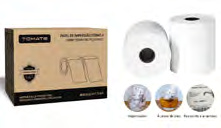
100x150mm Direct Thermal Label Roll MPT-1550R
Brand: Generic / OEM
•
Audited BOM: 6 Components
🛠️ Troubleshooting Guide & Return Mitigation
Verified Self-Service BaseQuick Guide for 100x150mm Direct Thermal Label Roll MPT-1550R: Proper use, damage prevention, and common troubleshooting to ensure durability and performance.
RMA Prevention Tags:
#correct_label_roll_use
#printer_cleaning
#label_storage
#avoid_moisture
🔍 Colloquial Consumer Search Queries:
“100x150 label roll not printing”
“thermal label 100x150 not sticking”
“mpt-1550r printing problem”
“thermal label smudging”
“label roll jamming”
🚀 Quick Start & Safe Operation Guide
1
Ensure your thermal printer is clean and free of old label residue.
🔒
+3 Detailed Operational Steps Locked in Torfus Pro
Unlock Steps
⚡ Easy DIY Troubleshooting & Common Fixes
🔧
prob_01
Labels not printing or print is very faint/spotty.
Common root cause: Dirty print head or residue from adhesive/paper.
Step-by-step solution: With the printer turned off, use a cotton swab lightly dampened with isopropyl alcohol to gently clean the print head. Allow it to dry completely before powering on.
💡
Pro tip: Clean the print head with every roll change or whenever you notice printing issues.
📸
Evidence to provide support: Clear photo of the print head after cleaning with isopropyl alcohol.
🔒
+2 Exclusive Verified Technical Solutions Locked
Engineering diagnostics for mechanical jams, thermal overloads, and seal failures available in the Full Dossier.
Unlock Full Guide
🚫 What NEVER to Do (Common Misuse Warnings)
⚠️ Forcing the label roll into an incompatible holder or trying to unfold labels.
err_01
Consequence: Damage to the roll, printer holder, or severe jamming.
✓ How to avoid: Use only a roll holder compatible with 100x150mm dimensions. Handle the roll carefully without excessive force.
🔒 +2 Critical Misuse Warnings Locked
Engineering alerts to prevent motor burnout, voided manufacturer warranty, and catastrophic component breakdown.
View All Warnings
⚙️ Hardware Setup, Adjustments & FAQs
🔒 +1 Hardware Setup & Calibration FAQs Locked in Torfus Pro
Unlock
⚖️
⚖️ Seller Warranty & Marketplace Dispute Conciliation
Activate the warranty if, after following all usage and troubleshooting instructions, the label roll exhibits a manufacturing defect. This includes persistent printing failures not resolved by print head cleaning, or if the label material is proven defective (e.g., fails to adhere or detaches on its own), indicating a material flaw.